Keep Your Plan Next to Your Code
Requirements, tasks, and decisions live in markdown files right in your repo. Visualize them on a kanban board. Drag cards between lists, and Imdone updates the files automatically.
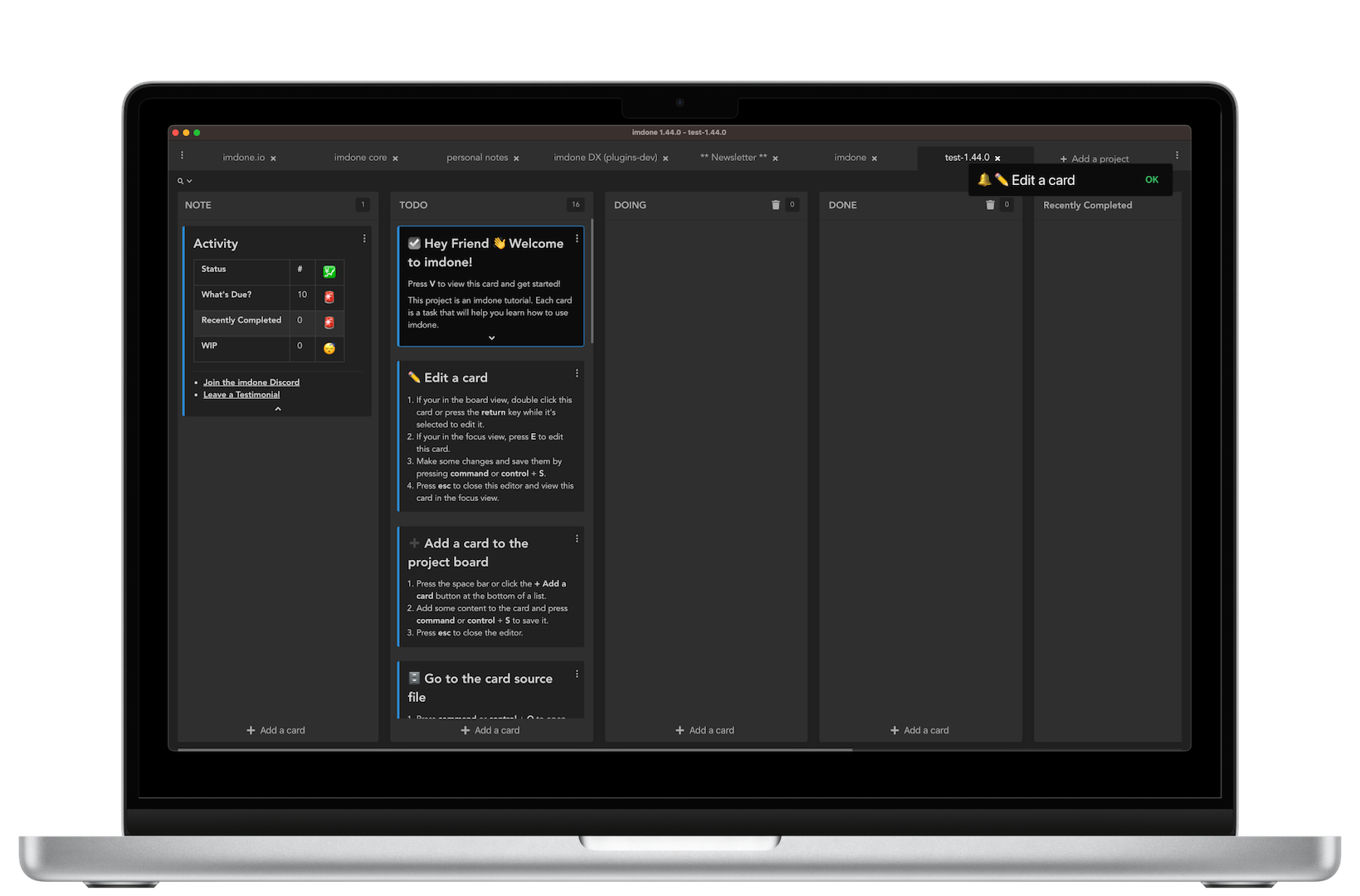
How It Works (Markdown Files → Kanban Board)
# User Story: Authentication

#TODO: Add OAuth 2.0 support
story:authentication
- Google sign-in
- GitHub sign-in

#DOING: Implement JWT tokens
story:authentication
- Generate tokens
- Validate expiration

#DONE: Set up auth middleware
story:authentication
#TODO: Write API documentation
#TODO: Add unit tests

#DOING: Refactor auth service

#DONE: Configure environment
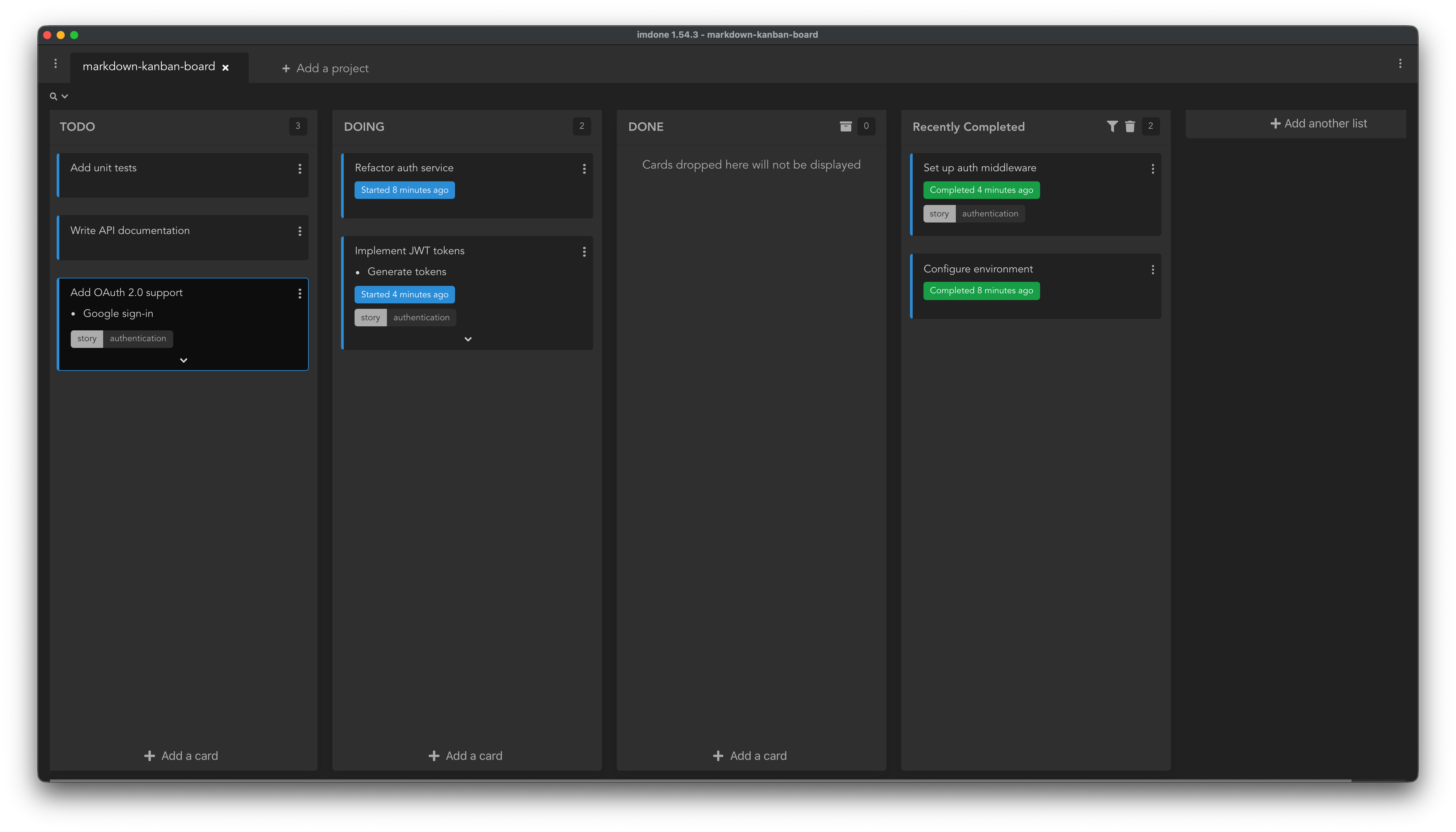
Keep plans, requirements, and tasks in markdown next to your code. Drag cards between lists → Imdone updates the files automatically. Syncs with Jira and GitHub via imdone-cli.
Real Example from Markdown File
# Project README

#TODO:10 Write installation instructions
We need clear steps for npm install and setup

#TODO:20 Add usage examples
#docs @high-priority

#DOING:30 Document API endpoints
- [x] GET /api/users
- [ ] POST /api/users
- [ ] DELETE /api/users/:id

#DONE:40 Create project structure
Initial folders and config files completed
The Problem with Plans Living Far from Code
Requirements live in Jira
Your team's tasks, user stories, and acceptance criteria live in Jira or GitHub Issues—separate from the code. Developers context-switch constantly between tools.
Plans get out of sync
The Jira ticket says one thing, but the implementation evolved. Requirements drift from reality because updating tickets feels like extra work.
Lost context
When you work on a task the next day or after the weekend, the context is gone. You have to dig through Jira comments, Slack threads, and git history to remember why decisions were made.
Keep Plans and Code Together
Store requirements, user stories, and tasks in markdown files right in your repo. Imdone visualizes them as a kanban board. Sync with Jira and GitHub using imdone-cli.
Plans live in your repo
Requirements, acceptance criteria, and decisions live in markdown files next to your code. No more switching to Jira. Everything's version-controlled and grep-able.
Sync with Jira and GitHub
Use imdone-cli to sync Jira issues or GitHub Issues into markdown files. Work locally, push changes back. Best of both worlds—local files with team visibility.
Visualize as kanban
Drag cards between lists (TODO → DOING → DONE). Imdone updates the markdown files automatically. Your team sees progress on the board, context stays in the files.
Works with Markdown Files and Code
Store requirements in markdown files next to your code. Imdone also finds TODO comments, but markdown is the primary workflow.
Markdown Files (Primary)
# User Story: Authentication

#TODO: Add OAuth support
- Google sign-in
- GitHub sign-in
#feature @high-priority

#DOING: Implement JWT tokens
Store requirements, user stories, and tasks in markdown. Sync with Jira and GitHub Issues using imdone-cli. Version-controlled and grep-able.
Syncs with Jira & GitHub
# #DOING Implement imdone pull for GitHub Issues
<!--
#story
jira:SCRUM-177
rank:0|i0006n:
reporter:"Jane Doe"
reporterEmail:jane.doe@gmail.com
issueType:Story
status:"To Do"
statusId:10000
jiraCreated:2026-01-29T16:57:52.769-0500
jiraUpdated:2026-02-06T14:48:36.030-0500
jiraUrl:https://mydomain.atlassian.net/browse/SCRUM-177
order:0
-->
Use imdone-cli to pull Jira issues or GitHub Issues into markdown. Work locally, push changes back. Files stay in sync with your team's tools.
Code Comments (Optional)
// TODO: Fix authentication bug
// #bug @api

# TODO: Refactor this function
# @refactor
Also finds TODO, FIXME, and HACK comments in your code. Works across JavaScript, Python, Ruby, Go, Java, and more.
What Cards Look Like on Your Board
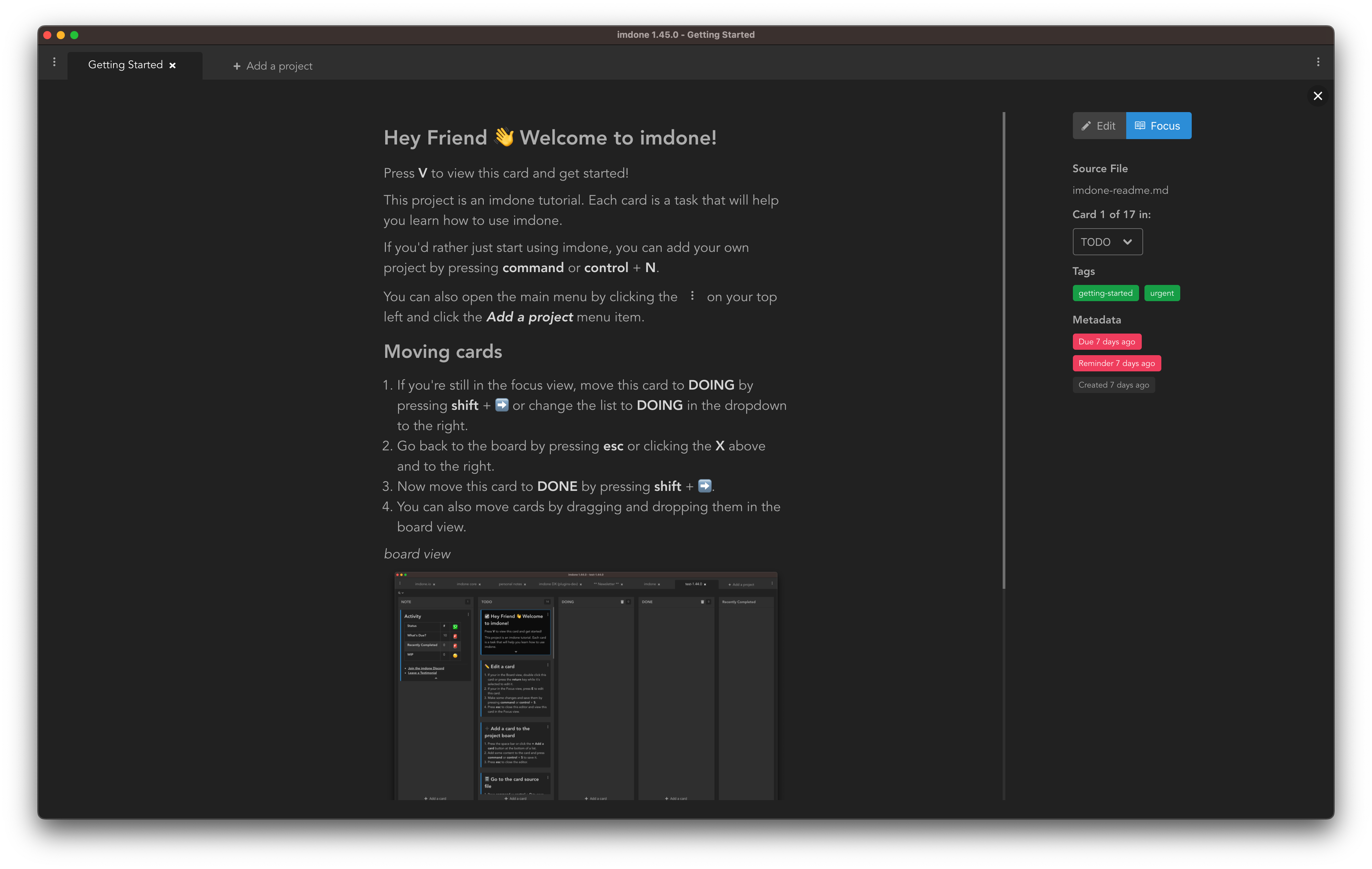
Built for Teams Who Keep Plans in Code
Markdown files in your repo
Store requirements, user stories, and tasks in markdown files right in your repo. Version-controlled, grep-able, and always close to the code. Also works with TODO comments.
Syncs with Jira & GitHub
Use imdone-cli to sync Jira or GitHub Issues into markdown files. Work locally, push changes back. Files stay in sync with your team's tools.
Real-time file watching
Imdone watches your project folder. Add a TODO comment in your editor, save the file, and the card appears on your board instantly.
GitHub-style task lists
Use markdown task lists (- [ ]) for sub-tasks. Check them off in Imdone, and the markdown updates with anx.
Powerful filtering
Filter by tags, contexts, metadata, due dates, or any combination. Save filters as smart lists that update automatically.
Due dates in natural language
WriteDue tomorrow at 3pm. in your TODO, and Imdone creates a due date. Cards with past-due dates turn red.
Who This Is For
Developers with TODOs scattered everywhere
You leave TODO comments as you code, but you never have a clear view of what needs to be done. Imdone gives you that view without changing your workflow.
Teams that want task management in git
Your code is in git. Your documentation is in git. Why should your task list live in Jira? With Imdone, TODO comments in your repo become your task board.
People who think in plain text
If you prefer markdown and plain text over complex tools, Imdone is your kanban board. No proprietary formats, no lock-in—just TODO comments.
Solo developers and small teams
Big teams might need Jira's complexity. If you're a solo developer or small team, Imdone gives you task management without the overhead.
Common Questions
Does it sync with Jira or GitHub Issues?
Yes, with Imdone CLI. The CLI syncs Jira or GitHub issues into your repo as markdown files. Then Imdone Desktop shows them on your board. Work locally, push changes back.
Where do the markdown files live?
In your repo, wherever you want. Many teams use a/docs or/backlog folder. Files are version-controlled with your code. Grep them like code.
Does it work with code comments too?
Yes—Imdone also finds TODO, FIXME, and HACK comments in your code. But the primary workflow is markdown files with requirements and tasks next to your code.
Can I use it with Obsidian or other markdown tools?
Absolutely. Point Imdone at a folder with markdown files (like an Obsidian vault), and it'll create a kanban board from your tasks and notes. Great for personal knowledge management.
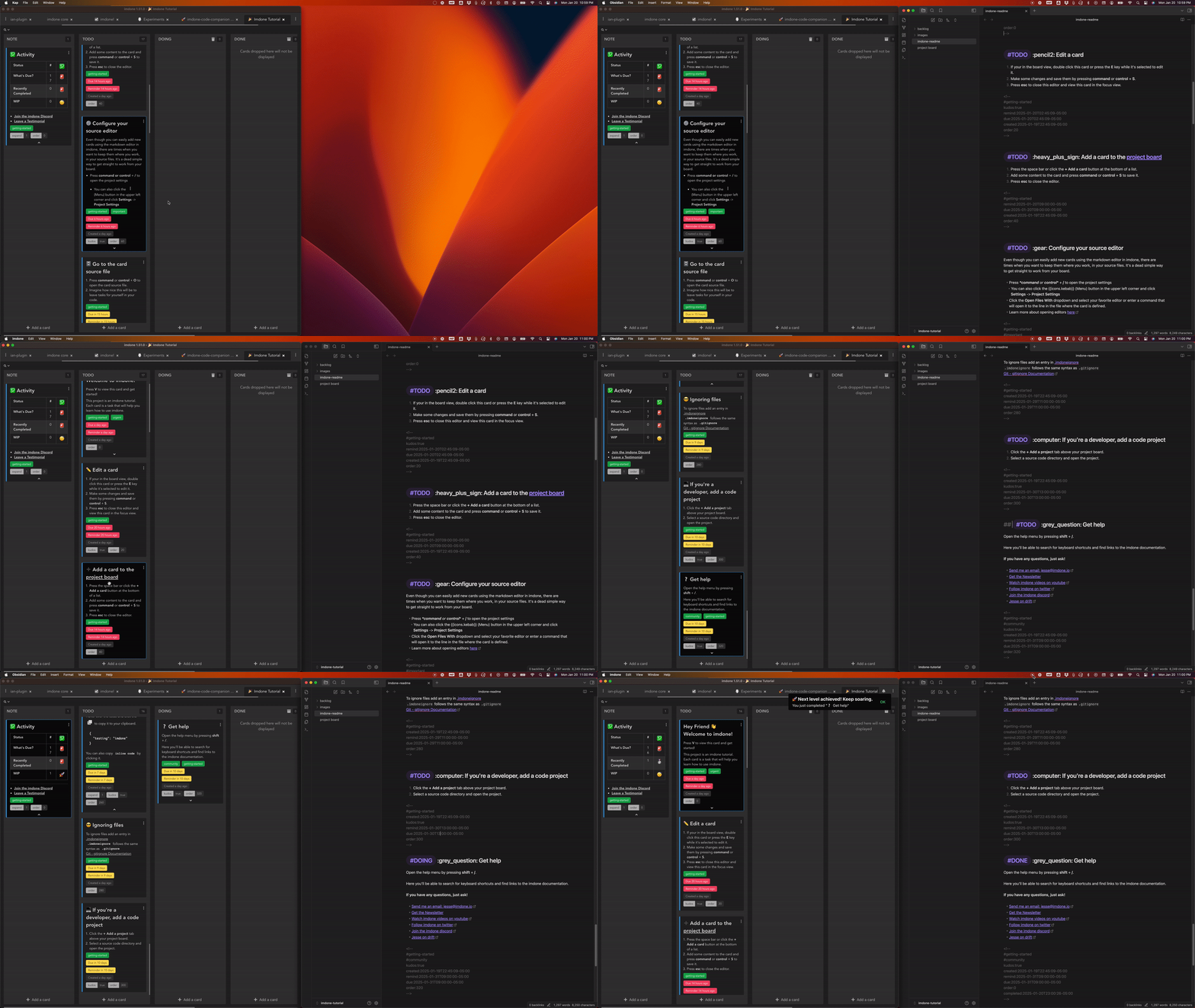
What tokens does Imdone look for?
By default: TODO, DOING, DONE, PLANNING, FIXME, HACK, CHANGED, XXX, IDEA, NOTE, and REVIEW. You can add custom tokens in project settings if your team uses different conventions.
Is it like Trello for markdown?
Sort of—but instead of creating cards in Trello, you write requirements in markdown files in your repo. Imdone visualizes them as a kanban board and keeps the files in sync when you move cards.
Get Started in 30 Seconds
Download Imdone Desktop. Open a project folder. See your markdown files and tasks as a kanban board.
Download and install Imdone Desktop
Click "Choose Folder" and select a project
Your TODO comments appear as cards. Drag them around. The files update automatically.